Not a mockup. These are screens from the live system reading a real consignment, line items through to a cross-checked customs declaration.
01 · Extracted & costed
Every line, read and costed.
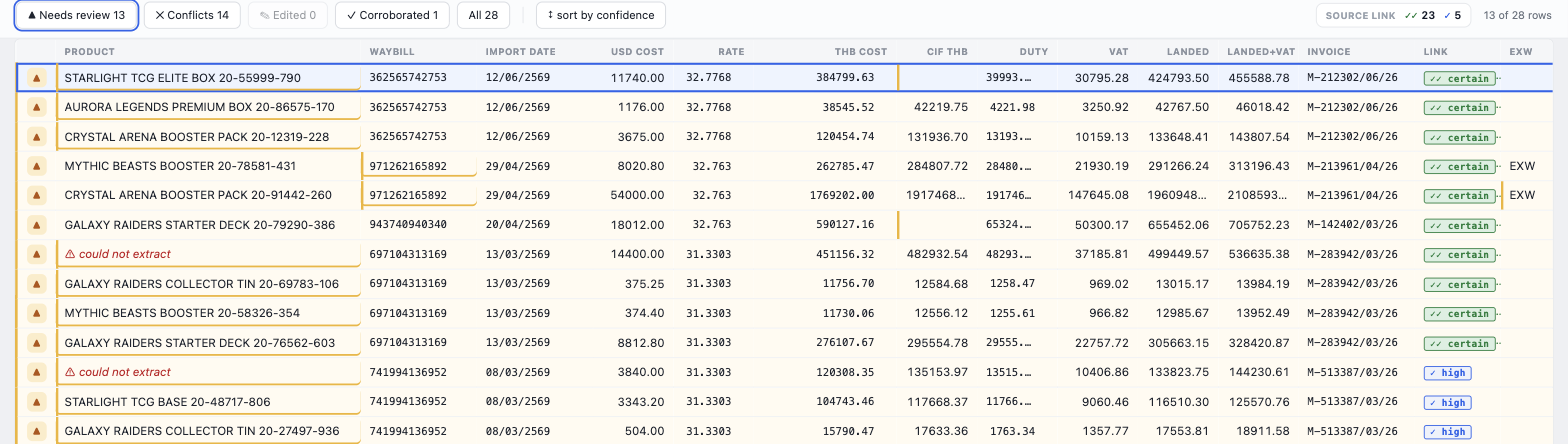
The consignment comes back as structured rows, product, waybill, value and FX rate, and the full landed cost it works out per line: THB cost, CIF, duty, VAT. Each row shows its triage state and how firmly it’s pinned to the source.
Amber flags a field the reader is unsure of; red marks a reconciliation conflict; some rows simply couldn’t be read.
Means
It shows its own doubt and does the arithmetic, instead of a clean-looking table you can’t trust.
So
You review the handful of flagged rows, and the landed cost is already worked out.
02 · Traced
Every figure traces back to a box.
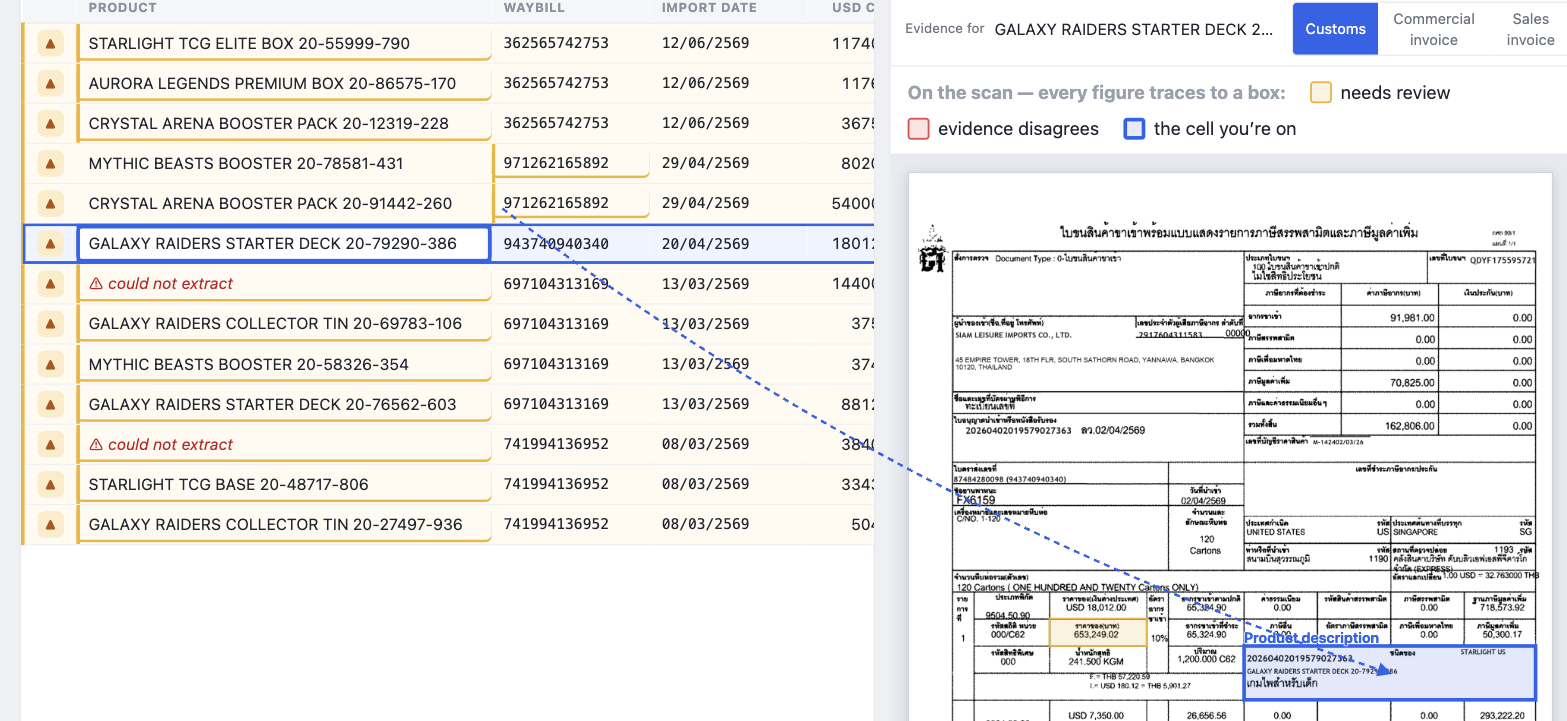
Point at any field and a line runs to the exact box on the original scan, and back again.
Point at a field and the leader lights its one box on the declaration
What
The grid and the source document are linked field by field.
Means
Nothing on screen is asserted, every value carries its evidence.
So
You check a figure against the paper in one glance, no hunting through pages.
03 · Checked
It shows you where the evidence disagrees.
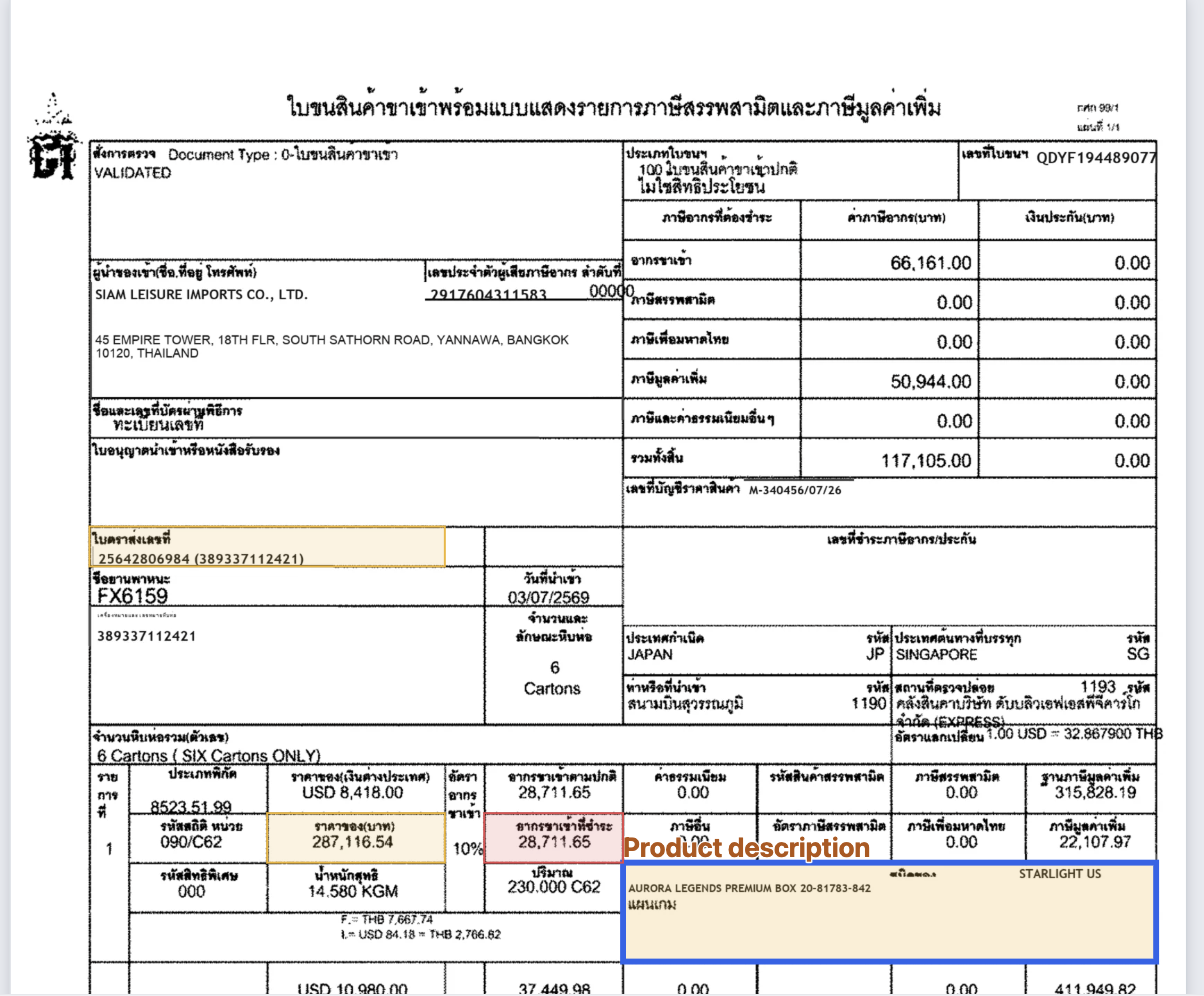
On the scan, every figure traces to a box: amber where the reader is unsure, red where the cross-checks between documents don’t agree, blue for the cell you’re on.
The declaration, with the overlay carrying each field’s state
What
Reconciliation runs across the linked documents, not just within one.
Means
A real conflict surfaces as red, never a silent wrong number.
So
You look at the colour, and trust the rest.
Start a conversation
Bring us one real document chain.
Those were live screens, reading a real consignment. Show us a workflow you’d like to stop doing by hand, and we’ll run it through Raphiel on your own documents.
 Raphiel